"Say to troll.png" Is Broken On Tutorial

TextStories
29 Sept 2014, 01:38On the Custom Commands part of the tutorial, there is something with a small "x", I am assuming a picture that some how became broken. I am not sure how much it is an integral part of the learning process, but I figured I would mention it. [Say to troll.png] Right after it there is a bunch of code written, so I am assuming the picture it self is how to do it using Quest, but I have no idea.

Pertex
29 Sept 2014, 07:31could you post the link of the tutorial page, plz?

Silver
29 Sept 2014, 07:40In the wiki the link to the wearables library directs you to a post deep in the thread which contains a downloadable file which doesn't work. The opening post appears to have been updated with the wearables library that does work so the link should direct there instead (took me a while to work that out lol).

If there is a "bug" in the documentation please log it https://github.com/textadventures/quest/issues, better yet, fix it and send a pull request.
Silver
29 Sept 2014, 15:14I knew you'd say that.  it appears to be fixed now anyway.
it appears to be fixed now anyway. TextStories
30 Sept 2014, 02:21http://docs.textadventures.co.uk/quest/ ... mands.html
Almost all the way to the bottom. Below "Checking for an Attribute" and right below "Additional example" . I just checked and it still showed as a small red "x", so I do not think it is working yet, not on my end anyway.
Almost all the way to the bottom. Below "Checking for an Attribute" and right below "Additional example" . I just checked and it still showed as a small red "x", so I do not think it is working yet, not on my end anyway.
Pertex
30 Sept 2014, 12:42TextStories wrote:http://docs.textadventures.co.uk/quest/tutorial/custom_commands.html
Almost all the way to the bottom. Below "Checking for an Attribute" and right below "Additional example" . I just checked and it still showed as a small red "x", so I do not think it is working yet, not on my end anyway.
I can see the picture there.
Silver
30 Sept 2014, 13:34It doesn't load for me. Ctrl and F5 then try again? Because it might be in your cache.
Pertex
30 Sept 2014, 15:04I think its a problem with spaces in the file name. Firefox shows the picture, Chrome does not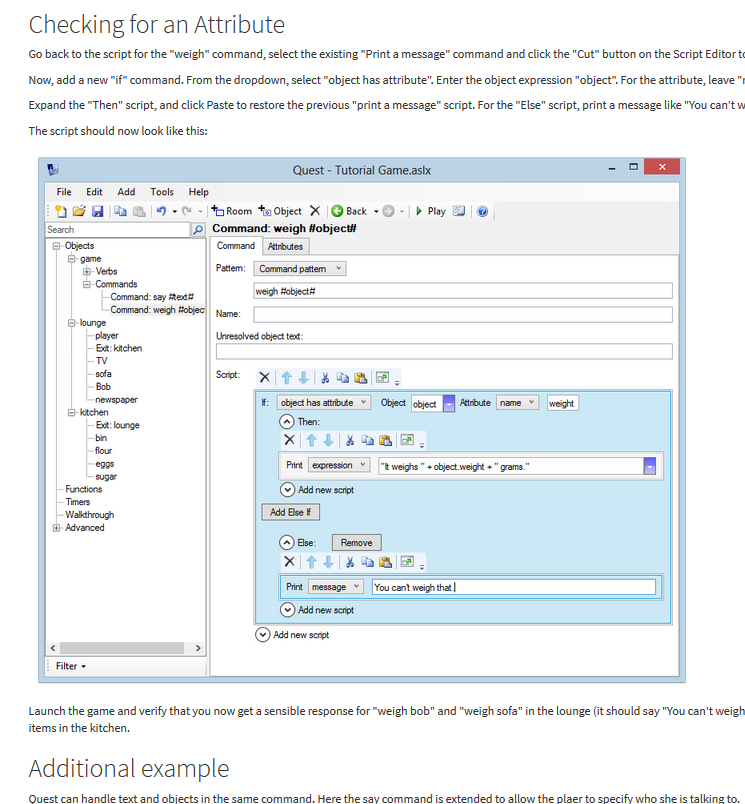
Silver
30 Sept 2014, 15:11Doesn't load with Safari either.
TextStories
30 Sept 2014, 15:38Pertex wrote:I think its a problem with spaces in the file name. Firefox shows the picture, Chrome does not
No, it is not that picture, but the one directly below that last sentence in it after "Additional example" and right before the large gray box of code talking about the troll which you did not show. That is where the little red "x" is. I can see everything above that and all the beginning of the tutorial fine. And I am using Internet Explorer if it means anything.
Silver
30 Sept 2014, 19:05The image is troll.png
Note the lower case t where as all the other images on the page have a capitalised first letter. Are file names case sensitive? I didn't think they were but just throwing that in the mix.
Note the lower case t where as all the other images on the page have a capitalised first letter. Are file names case sensitive? I didn't think they were but just throwing that in the mix.
Pertex
01 Oct 2014, 06:12Silver wrote:The image is troll.png
http://docs.textadventures.co.uk/quest/tutorial/Say%20to%20troll.pngSilver
01 Oct 2014, 07:46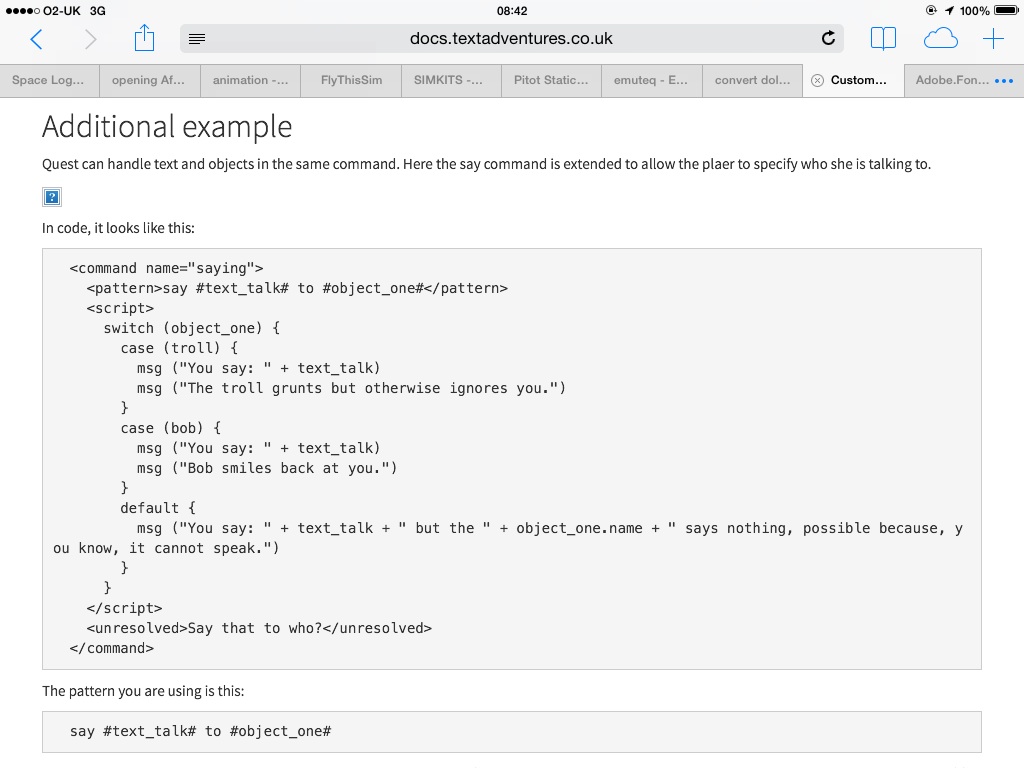
Then either the file is missing or there's a problem with the directory path.

jaynabonne
01 Oct 2014, 12:56This is what the JS console says:
Failed to load resource: the server responded with a status of 404 (Not Found) http://docs.textadventures.co.uk/quest/tutorial/Say%20to%20troll.png