squiffy is not opening (Javascript error)

Bobogabo
16 Dec 2015, 01:04when i try to open squiffy this message show up
A javascript error occurred in the main process
uncaught exception:
Syntax Error: Unexpected token
I downloaded squiffy again and still not working, somebody knows why?
A javascript error occurred in the main process
uncaught exception:
Syntax Error: Unexpected token
I downloaded squiffy again and still not working, somebody knows why?

Maybe an error trying to open the file you were most recently working on? Try renaming it to see if you can load Squiffy again. Also try completely uninstalling before reinstalling.
Bobogabo
16 Dec 2015, 14:18it still doesn't work, I deleted squiffy and downloaded again and this message still show up
Can you attach a screenshot?
Bobogabo
16 Dec 2015, 16:14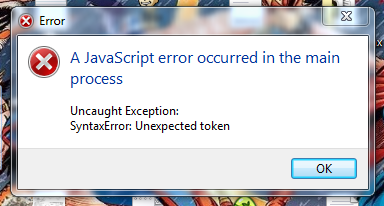
Was Squiffy ever working on your system? Which version of Windows are you using?
Bobogabo
16 Dec 2015, 18:02i used squiffy many times before and I have a windowns 7 professional (Service pack 1)
Can you go to:
C:\Users\<your user name>\AppData\Roaming\squiffy-editor
and open up settings.json in Notepad, and paste it here?
Then try deleting settings.json and open up Squiffy again.
Hopefully that should make Squiffy load - and if you let me know what was in settings.json I can try and fix this to prevent it happening again. (Assuming that deleting settings.json actually fixes the problem)
C:\Users\<your user name>\AppData\Roaming\squiffy-editor
and open up settings.json in Notepad, and paste it here?
Then try deleting settings.json and open up Squiffy again.
Hopefully that should make Squiffy load - and if you let me know what was in settings.json I can try and fix this to prevent it happening again. (Assuming that deleting settings.json actually fixes the problem)
By the way, the quickest way to get to that folder is to open up Explorer and type "%appdata%" in the address bar.
Bobogabo
17 Dec 2015, 03:33I opened the settings.json and there was nothing there so i deleted it and now squiffy is working fine, thanks